
Hello from App Development Lab
Your phone, a little lighter.
We make small Android apps that take the busywork out of your day. Our first one turns your home screen into a calm place where your email is always one swipe away.
- Secure Google sign-in
- Mail stays on your phone
Meet the app
Easy App Mail Launcher
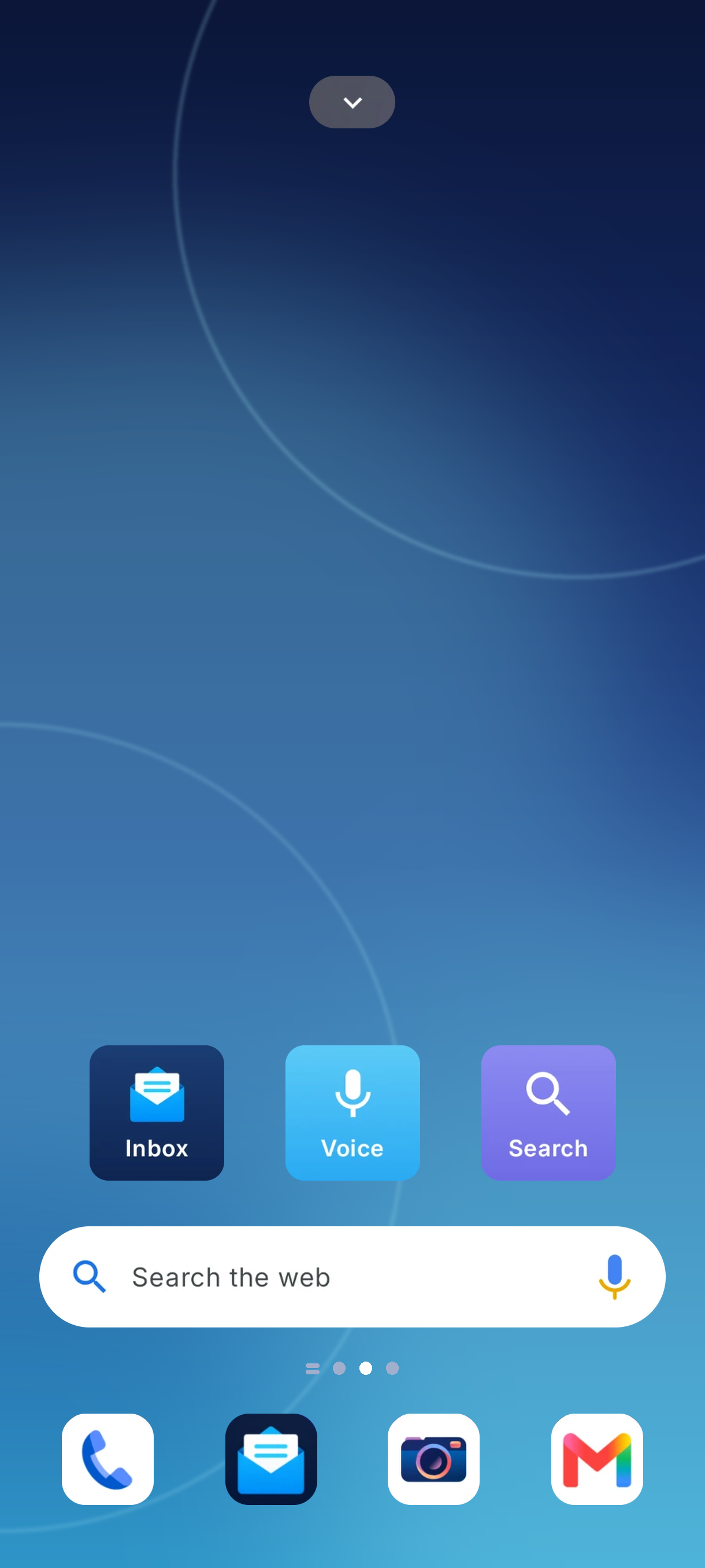
A calm, uncluttered Android home screen with your email tucked one swipe away.
Connect your Gmail accounts, then swipe right from your home screen to read, reply and tidy up. No extra app to open, no hunting for the envelope icon.
- All your Gmail accounts in one list
- Reply, forward and send without leaving home
- A tidy launcher with A–Z apps and quick search
Up and running in a minute
Three steps to a calmer home screen
- 1
Install and set as home
Download the app from Google Play and choose it as your home app when Android asks.
- 2
Link your email
Sign in to Gmail on Google’s own secure screen. We never see your password.
- 3
Swipe right
From your first home screen page, swipe right and your inbox is there, ready when you are.
What we care about
Built the way we’d want it
Less clutter
Every screen does one job well. If a feature doesn’t earn its place, it doesn’t ship.
Private by default
Your email is fetched straight from your provider and kept on your phone, not on our servers.
Made to be kind
Readable text, comfortable tap targets and no dark patterns. Just apps that respect your time.
Give your home screen a fresh start
Easy App Mail Launcher is free on Google Play.